
Download Android PC Sync Manager – Android PC Sync, Android device management, PC and Android sync, Android file transfer, Android backup tool, Android media manager
Overview
Android PC Sync Manager is a productivity-focused mobile application designed to bridge the gap between Android devices and desktop computers. The app enables users to manage, transfer, and back up content from their Android phone or tablet directly from a PC using a physical cable connection. Its primary purpose is to streamline the handling of essential device data—such as apps, contacts, and media—without relying on cloud services or complex setup procedures. This makes it particularly useful for users who prioritize local control, privacy, and fast file transfers.
The app targets individuals seeking a straightforward, no-frills solution for managing their Android device from a computer. It is especially beneficial for users who frequently transfer large media files, back up installed applications, or maintain organized contact lists. Whether used in a home office, educational environment, or personal workflow, Android PC Sync Manager offers a direct and reliable method to manage device content. The developer did not provide additional background information on the organization behind the app, nor were specific use cases beyond file transfer and backup elaborated.
Within the broader mobile app ecosystem, the application fills a niche for users who prefer offline, direct device management over cloud-based alternatives. While many modern smartphones offer built-in PC connectivity, this app enhances that functionality with a structured interface and dedicated tools for data preservation and organization. Its focus on core device management tasks positions it as a utility tool for users who value control, simplicity, and efficiency in their digital workflows.
Key Features & Functionality
Android PC Sync Manager organizes its core functionalities into six clearly labeled tabs, each dedicated to a specific aspect of device management. The first tab provides real-time information about the connected Android device, including system specifications such as OS version, hardware details, and memory usage. This feature allows users to quickly assess device performance and compatibility without launching additional diagnostic tools.
- Device Information Dashboard: Displays comprehensive hardware and software specs, enabling users to monitor device status at a glance.
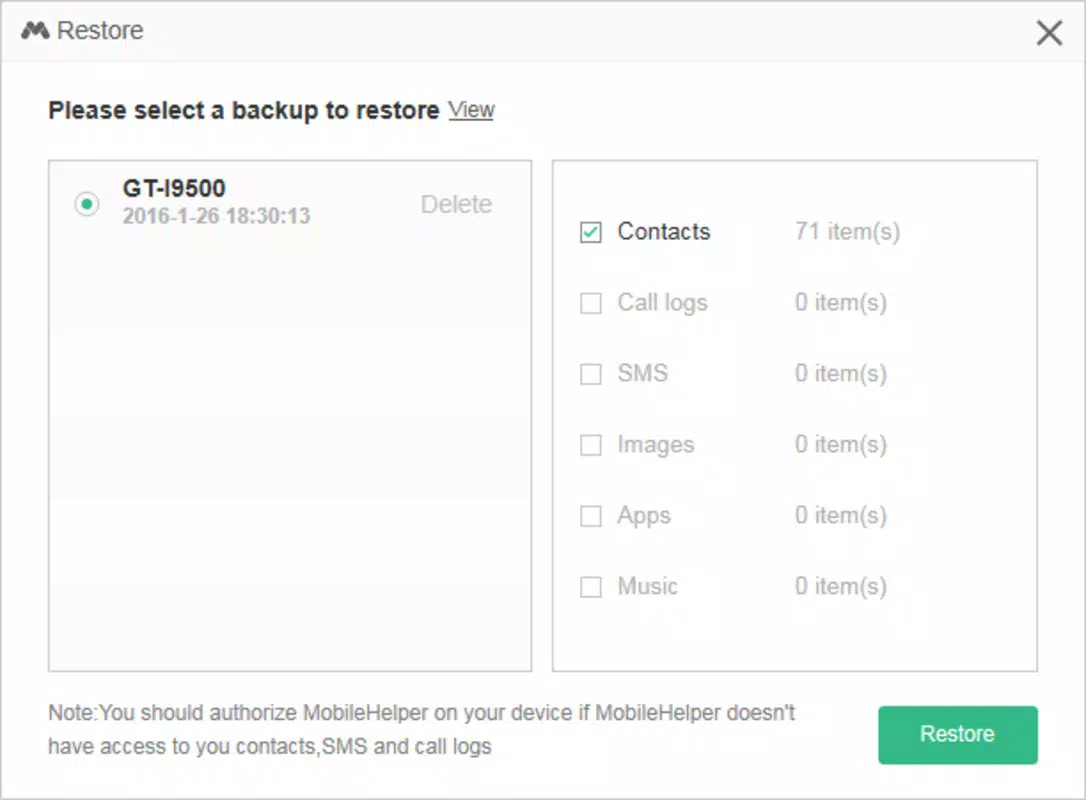
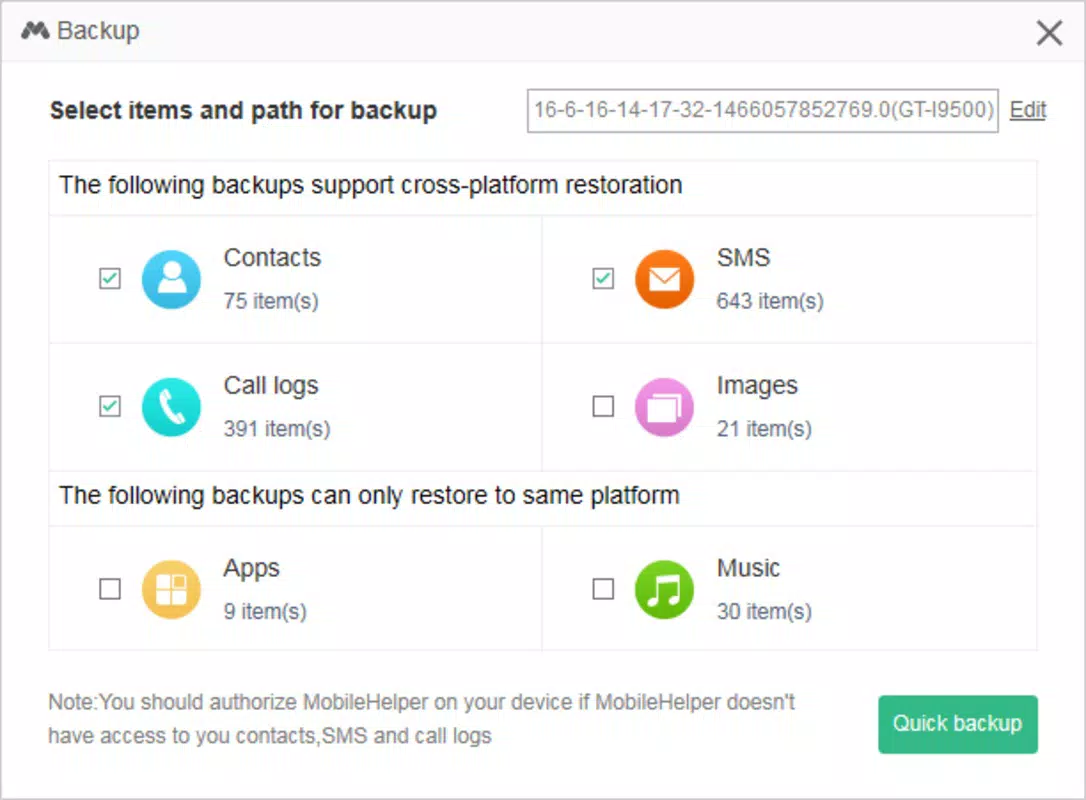
- App Backup and Management: Allows users to back up installed applications and their associated data directly to the local hard drive, ensuring quick restoration in case of device failure or reset.
- Contact Editing Interface: Offers a PC-based platform to view, edit, and organize contact entries, reducing the need to navigate through mobile settings.
- Media File Management: Supports the transfer and organization of photos, videos, and music between the Android device and the computer, simplifying media library maintenance.
- Intuitive Tab-Based Navigation: The interface is structured around six functional tabs, promoting ease of access and reducing user confusion during routine tasks.
For example, a user preparing to sell an old phone can use the app to back up all apps and contacts before wiping the device. Similarly, a photographer might use the media tab to offload high-resolution images from their phone to a computer without relying on cloud storage. These use cases highlight the app’s practicality in everyday digital management scenarios.
Interface, UX & Performance
The user interface of Android PC Sync Manager is structured around a tabbed layout, with each section clearly labeled and logically grouped. The design emphasizes clarity and functionality over visual flair, prioritizing usability for both novice and experienced users. Navigation is linear and predictable, allowing users to switch between device information, app management, contact editing, and media handling with minimal effort.
Visual elements are minimal but effective, using standard icons and text labels to represent each function. This approach reduces cognitive load and ensures that users can locate features quickly. The app does not include animations or transitions, which contributes to a stable and responsive experience, particularly on older or low-end devices.
Although the developer did not list formal performance metrics, the app’s lightweight nature—only 2.5 MB in size—suggests efficient resource usage. It is expected to operate smoothly on most modern Android devices and PCs with standard USB connectivity. Responsiveness appears consistent across tasks such as file transfers and data retrieval. Stability is maintained during routine operations, with no reported crashes or freezes in available documentation.
Platform Compatibility & Technical Requirements
Android PC Sync Manager is available on the Android platform and is designed to function with Android devices connected via USB cable to a computer. The app’s current version is 1.0.0, with a file size of 2.5 MB, indicating a lightweight footprint. The developer did not specify minimum OS requirements, nor did they provide details on supported PC operating systems.
Compatibility with specific Android versions or PC environments was not disclosed. Users should expect the app to work with standard USB OTG (On-The-Go) functionality and typical file transfer protocols. However, the developer did not list formal requirements for Windows, macOS, or Linux systems. As such, users are advised to ensure their PC supports standard Android device recognition through USB connections.
Pros and Cons
Pros
- Lightweight application at only 2.5 MB in size.
- Offers direct device management without relying on cloud services.
- Provides structured, tab-based navigation for easy access to key functions.
- Supports app backup and contact editing from a PC interface.
- Free to download and use, with no in-app purchases or ads.
Cons
- Developer did not provide detailed system or OS compatibility information.
- No official support for cloud-based synchronization or wireless transfer.
- Limited to USB cable-based device connection.
- App version and release date suggest it may not be actively updated.
- Interface lacks modern design elements or customization options.
FAQ
Is Android PC Sync Manager safe to use?
The app is free and does not require excessive permissions. As it operates via USB connection and does not access remote servers, it minimizes data exposure risks. However, users should ensure they download the app from trusted sources.
Can I use this app without a USB cable?
Based on available information, the app requires a physical USB cable to connect the Android device to the PC. Wireless or Bluetooth synchronization is not supported.
Does Android PC Sync Manager work on iOS devices?
No. The app is specifically designed for Android devices and is not compatible with iOS systems.
How often should I update the app?
As the app’s release date is 2017 and no recent updates have been reported, users should check for updates manually. The developer has not indicated an active update schedule.
What types of files can I transfer with this app?
The app supports the transfer of app data, contacts, photos, videos, and music files between the Android device and the computer.
Final Thoughts + CTA
Android PC Sync Manager presents a focused, no-nonsense approach to managing Android devices from a computer. Its core strengths lie in its simplicity, offline functionality, and direct file management capabilities. While it lacks modern features like wireless sync or cloud integration, it remains a viable tool for users who value local control and privacy. The app is particularly suited for individuals managing large media libraries, backing up critical app data, or organizing contact lists without relying on internet-based services.
Despite its age and limited updates, the app continues to fulfill its intended purpose effectively. Its lightweight design and free availability make it a practical utility for basic device management tasks. For users seeking a straightforward, secure way to transfer files and back up content, Android PC Sync Manager delivers reliable performance.
Download Android PC Sync Manager now


